ChatGPT isn’t just a chatbot you play with on a lunch break. For millions of professionals in 2026, it’s become a genuine productivity multiplier — handling the repetitive, time-consuming tasks that eat into your actual work.
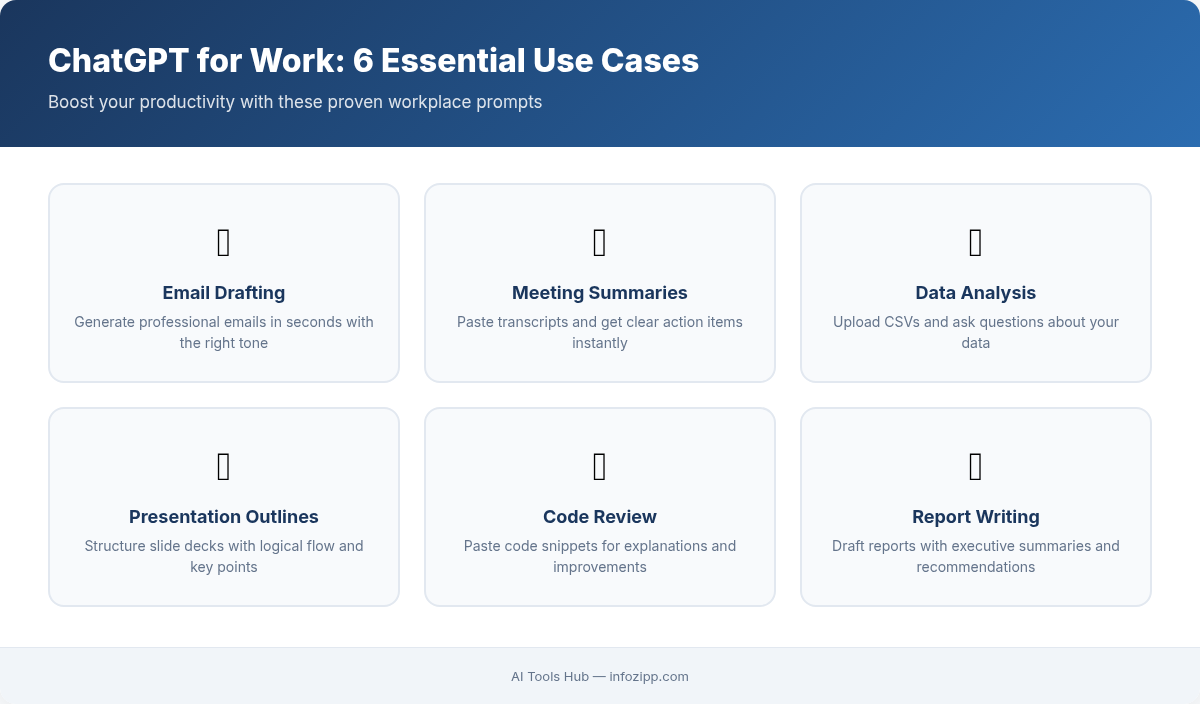
The problem? Most people type vague requests like “write me an email” and get generic, unusable results. The secret is using the right prompts — specific, structured instructions that tell ChatGPT exactly what you need.
In this guide from AI Tools Hub, we’ve assembled 20 practical, copy-paste prompts organized by the work categories where ChatGPT delivers the biggest time savings. Each prompt includes the exact text you can use, what to expect, and a pro tip to get even better results.
Let’s turn ChatGPT into your most productive coworker.
How to Get the Most from These Prompts
Before we dive into the 20 prompts, here are three rules that make every prompt work better:
- Give ChatGPT a role. Starting with “Act as a…” instantly improves output quality.
- Provide context. The more relevant detail you include (audience, tone, goal), the less editing you’ll do afterward.
- Specify the format. Tell it whether you want bullet points, a table, a paragraph, or a numbered list.
Now, let’s get to work.
Email & Communication (Prompts 1–4)
Email is where most professionals lose 2+ hours daily. These prompts cut that in half.
Prompt 1: Draft a Professional Email
Act as a professional communication specialist. Write an email to [recipient/role] about [subject].

Context: [Briefly explain the situation — e.g., "We need to reschedule a client meeting from Thursday to next Monday due to a team conflict."]

Tone: [Professional / Friendly / Formal / Casual]
Length: [Short — under 150 words / Medium / Detailed]
Include: A clear subject line, a call to action, and a polite closing.
What you’ll get: A polished, ready-to-send email with a subject line, body, and sign-off — tailored to your exact situation.
Pro Tip: Paste an example of your usual writing style and add “Match this tone” for emails that sound like you, not a robot.
Prompt 2: Summarize a Long Email Thread
Act as an executive assistant. I'm going to paste a long email thread below. Summarize it in this format:

- **Key topic:** (one sentence)
- **Decisions made:** (bullet list)
- **Action items:** (who needs to do what, by when)
- **Unresolved questions:** (anything still open)

Here's the thread:
[Paste email thread]
What you’ll get: A crisp summary you can scan in 30 seconds instead of re-reading 15 emails.
Pro Tip: Use this every Monday morning to catch up on threads that piled up over the weekend.
Prompt 3: Reply to a Customer Complaint
Act as a senior customer success manager with 10 years of experience. A customer sent us this complaint:

"[Paste the complaint]"

Write a reply that:
1. Acknowledges their frustration without being defensive
2. Explains what happened (use this context: [brief explanation])
3. Offers a specific resolution: [e.g., refund, replacement, discount, escalation]
4. Ends with a commitment to follow up within [timeframe]

Tone: Empathetic, professional, and solution-oriented.
Length: Under 200 words.
What you’ll get: A de-escalating response that turns an angry customer into a retained one.
Pro Tip: Add “Avoid phrases like ‘I understand your frustration’ — use more original empathy” to get a response that feels genuinely human.
Prompt 4: Write a Meeting Follow-Up
Act as a project manager. Write a follow-up email after a meeting with these details:

- **Meeting date:** [date]
- **Attendees:** [names/roles]
- **Key decisions:** [list them]
- **Action items:** [who is doing what, deadlines]
- **Next meeting:** [date/time if scheduled]

Format it as a clean, scannable email with bullet points. Include a subject line. Keep it under 200 words.
What you’ll get: A structured follow-up that keeps everyone aligned — sent in 60 seconds instead of 15 minutes.
Pro Tip: If you have meeting notes or a transcript, paste it in and add “Extract the action items and decisions from these raw notes” before the formatting instructions.
Writing & Content (Prompts 5–8)
Whether you’re writing blog posts, social updates, or internal reports, these prompts handle the heavy lifting.
Prompt 5: Generate a Blog Post Outline
Act as a content strategist specializing in [industry/niche]. Create a detailed blog post outline for the topic: "[Your topic]"

Target keyword: [keyword]
Target audience: [describe your reader]
Word count goal: [e.g., 2,000 words]

Include:
- A compelling H1 title (under 60 characters)
- An introduction hook
- 5-8 H2 sections with 2-3 bullet points each describing what to cover
- A conclusion with a clear CTA
- 3 internal linking opportunities (suggest anchor text)
What you’ll get: A complete content blueprint that makes writing the actual post 3x faster.
Pro Tip: Add “Analyze the top 5 Google results for [keyword] and make this outline more comprehensive than all of them” if you’re using ChatGPT with browsing enabled.
Prompt 6: Create Social Media Posts from Content
Act as a social media manager. I'm going to give you a piece of content. Create platform-specific posts for:

1. **LinkedIn:** Professional tone, 150-200 words, include a hook in the first line and end with a question to drive engagement
2. **X (Twitter):** Punchy, under 280 characters, include 1-2 relevant hashtags
3. **Instagram caption:** Casual and engaging, 100-150 words, include a CTA and suggest 5 hashtags

Here's the content:
[Paste your article, blog post, or key points]
What you’ll get: Three platform-ready posts in 30 seconds, each optimized for how people read on that platform.
Pro Tip: Add “Write 3 variations of each post so I can A/B test” to build a content library fast.
Prompt 7: Summarize a Report for Stakeholders
Act as a business analyst. I have a [type of report — e.g., quarterly sales report, marketing analytics report]. Summarize it for a non-technical audience of senior stakeholders.

Format:
- **Executive Summary** (3-4 sentences)
- **Key Metrics** (table format: Metric | This Period | Last Period | Change)
- **Top 3 Wins**
- **Top 3 Concerns**
- **Recommended Next Steps** (3-5 actionable items)

Keep the total summary under 400 words. Use plain language — no jargon.

Here's the report:
[Paste report or key data]
What you’ll get: A boardroom-ready summary that takes a 20-page report and turns it into a one-page brief.
Pro Tip: Specify “Format the Key Metrics as an HTML table” if you need to paste it into an email or presentation.
Prompt 8: Draft a Press Release
Act as a PR specialist with experience in [industry]. Write a press release for the following announcement:

- **Company name:** [name]
- **Announcement:** [describe what's being announced]
- **Key details:** [dates, numbers, features, partnerships, etc.]
- **Quote from:** [Name, Title — write a quote that sounds natural, not corporate]
- **Target audience:** [media, investors, customers, etc.]

Follow standard press release format:
1. Headline (under 80 characters, action-oriented)
2. Subheadline
3. Dateline + lead paragraph (who, what, when, where, why)
4. Supporting details (2-3 paragraphs)
5. Quote
6. Boilerplate "About [Company]" section
7. Contact information placeholder

Length: 400-500 words.
What you’ll get: A publication-ready press release that follows AP style and media expectations.
Pro Tip: Add “Write the headline in two versions: one for SEO and one for media pickup” to cover both online and traditional distribution.
Data & Analysis (Prompts 9–12)
ChatGPT (especially with Advanced Data Analysis) can replace hours of spreadsheet wrestling. Here’s how.
Prompt 9: Analyze Spreadsheet Data
Act as a data analyst. I'm going to give you data from a spreadsheet. Analyze it and provide:

1. **Summary statistics** (totals, averages, min/max for numerical columns)
2. **Trends** (any notable patterns, increases, or decreases)
3. **Anomalies** (any outliers or unexpected values)
4. **Top 3 insights** that a business leader would care about
5. **One chart suggestion** (describe what type of chart would best visualize the key finding)

Here's the data:
[Paste your spreadsheet data or upload the file]
What you’ll get: An instant analyst’s report on your data, complete with actionable insights.
Pro Tip: If you’re on ChatGPT Plus, upload the actual Excel/CSV file — ChatGPT will run Python code to analyze it and even generate charts for you.
Prompt 10: Create Excel/Google Sheets Formulas
Act as an Excel expert. I need a formula for Google Sheets (or Excel — specify which) that does the following:

[Describe what you need in plain English — e.g., "Look up a product name in column A of Sheet2 and return the price from column C, but only if the stock in column D is greater than 0."]

My column headers are: [list them]
The data starts in row: [row number]

Please provide:
1. The exact formula I can paste
2. A brief explanation of how it works
3. A common error to watch out for
What you’ll get: The exact formula you need, explained in plain English, so you never have to Google “VLOOKUP vs INDEX MATCH” again.
Pro Tip: For complex workflows, ask “Now convert this into a Google Apps Script that runs automatically every Monday” to fully automate the task.
Prompt 11: Summarize a Long Report or Document
Act as a research analyst. Summarize the following document in three levels of detail:

1. **One-sentence summary** — The single most important takeaway
2. **Executive brief** (100 words) — Key points a busy manager needs to know
3. **Detailed summary** (300 words) — All major findings, data points, and recommendations

After the summaries, list:
- **5 key terms** defined in simple language
- **3 questions** this document raises but doesn't fully answer

Here's the document:
[Paste text or upload PDF]
What you’ll get: Three layers of summary you can use depending on your audience — from a quick Slack message to a detailed brief.
Pro Tip: Use the “3 questions” output to prepare for meetings where this document will be discussed — you’ll look like you did a deep read.
Prompt 12: Extract Insights from Customer Feedback
Act as a customer insights analyst. I'm going to give you [number] pieces of customer feedback (reviews, survey responses, support tickets). Analyze them and provide:

1. **Sentiment breakdown** — Positive / Neutral / Negative (with percentages)
2. **Top 5 themes** — What topics come up most often?
3. **Top 3 complaints** — With example quotes
4. **Top 3 praises** — With example quotes
5. **Actionable recommendations** — What should the product/service team do based on this data?

Present the themes and sentiment as a table.

Here's the feedback:
[Paste feedback data]
What you’ll get: A structured voice-of-customer analysis that would normally take a research team hours to compile.
Pro Tip: Run this monthly on your latest reviews and track how themes change over time — it’s a free trend analysis tool.
Planning & Strategy (Prompts 13–16)
ChatGPT won’t replace your strategic thinking, but it will give you a running start on frameworks, plans, and competitive research.
Prompt 13: Create a Project Plan
Act as a senior project manager (PMP-certified). Create a project plan for the following:

- **Project:** [describe the project]
- **Goal:** [what does success look like?]
- **Team size:** [number of people and their roles]
- **Timeline:** [desired completion date]
- **Budget:** [if relevant]

Include:
1. Project phases with milestones
2. Task breakdown for each phase (with estimated hours)
3. Dependencies between tasks
4. Risk assessment (top 3 risks + mitigation strategies)
5. A suggested kickoff meeting agenda

Format as a structured document with headers and tables.
What you’ll get: A comprehensive project plan that would normally take a full day to draft from scratch.
Pro Tip: Follow up with “Now convert this into a Gantt chart format I can import into Notion/Asana/Monday.com” for a ready-to-use project board.
Prompt 14: Run a SWOT Analysis
Act as a management consultant from a top-tier firm. Conduct a SWOT analysis for:

- **Company/Product:** [name]
- **Industry:** [industry]
- **Context:** [any specific situation — e.g., "considering expanding into the European market"]

For each quadrant (Strengths, Weaknesses, Opportunities, Threats), provide:
- 4-5 specific, actionable points (not generic)
- A brief explanation for each point (1-2 sentences)

After the SWOT, provide:
- **3 strategic recommendations** based on the analysis
- **Priority action:** The single most important thing to do in the next 30 days

Format as a clean 2x2 table for the SWOT, with recommendations below.
What you’ll get: A strategy-ready SWOT that goes beyond surface-level observations into actionable intelligence.
Pro Tip: Paste your company’s recent annual report or investor presentation as context — the analysis quality jumps dramatically with real data.
Prompt 15: Brainstorm Ideas Systematically
Act as an innovation consultant. I need creative ideas for: [describe your challenge or opportunity]

Use these three brainstorming frameworks and generate ideas from each:

1. **SCAMPER method** — Substitute, Combine, Adapt, Modify, Put to another use, Eliminate, Reverse (give 1 idea per letter)
2. **"What if" scenarios** — 5 "What if we..." provocative ideas
3. **Cross-industry inspiration** — 3 ideas borrowed from completely different industries

For each idea, rate it:
- **Impact:** High / Medium / Low
- **Effort:** High / Medium / Low
- **Novelty:** Incremental / Moderate / Breakthrough

End with your top 3 recommended ideas and why.
What you’ll get: 15+ structured ideas instead of a blank whiteboard, with a built-in prioritization framework.
Pro Tip: Run this with your team — paste the top ideas back and ask “Play devil’s advocate against each of these ideas” for stress-testing.
Prompt 16: Competitive Analysis
Act as a competitive intelligence analyst. Create a competitive analysis for:

- **My company/product:** [name and brief description]
- **Competitors to analyze:** [list 3-5 competitors]
- **Focus areas:** [pricing, features, market positioning, target audience, strengths/weaknesses]

Provide:
1. **Comparison table** — Rows: competitors. Columns: [your focus areas]
2. **Each competitor's unique selling proposition** (1 sentence)
3. **Where we win** — Our advantages over each competitor
4. **Where we lose** — Their advantages over us
5. **Market gaps** — Opportunities none of the competitors are addressing
6. **Strategic recommendations** — 3 ways to differentiate

Note: Base this on publicly available information. Flag anything you're uncertain about.
What you’ll get: A structured competitive landscape overview that would take days of manual research.
Pro Tip: If you have ChatGPT with browsing, add “Search for the latest news and product updates from each competitor in the last 3 months” to get current intelligence.
Learning & Research (Prompts 17–20)
Whether you’re upskilling, preparing for a presentation, or evaluating options, these prompts turn ChatGPT into your personal research assistant.
Prompt 17: Explain a Complex Concept
Act as an expert teacher who specializes in making complex topics simple. Explain [concept] to me using this structure:

1. **ELI5 (Explain Like I'm 5)** — The simplest possible explanation (2-3 sentences)
2. **Practical explanation** — How it works in the real world (1 paragraph)
3. **Technical explanation** — The detailed version for professionals (1 paragraph)
4. **Analogy** — A creative analogy that makes it click
5. **Common misconceptions** — 2-3 things people get wrong about this
6. **How it applies to my work** — I work in [your field/role]. How is this relevant to me?
What you’ll get: A layered explanation you can use to quickly understand something new — or teach it to others at different levels.
Pro Tip: Follow up with “Now give me 5 interview questions about this topic that I should be able to answer” if you’re preparing for a meeting or presentation.
Prompt 18: Summarize an Article or Research Paper
Act as a research assistant. Summarize the following article/paper and provide:

1. **Main argument or finding** (1 sentence)
2. **Key points** (5-7 bullet points)
3. **Methodology** (how did they reach these conclusions?)
4. **Limitations** (what does this NOT tell us?)
5. **So what?** — Why this matters for [your field or interest]
6. **Related questions** — 3 things I should research next based on this

[Paste the article text or URL]
What you’ll get: A comprehensive yet concise research brief that captures not just what the article says but why it matters to you.
Pro Tip: Batch this — paste 3-5 articles and ask “Compare the findings across all articles and identify where they agree and disagree.”
Prompt 19: Create a Study or Training Guide
Act as an instructional designer. Create a study guide for learning [topic/skill].

My current level: [Beginner / Intermediate / Advanced]
Time available: [e.g., 2 hours per week for 4 weeks]
Learning goal: [what I want to be able to DO after learning this]

Include:
1. **Learning roadmap** — Weekly breakdown of what to study
2. **Key concepts** — The 10 most important things to understand (with 1-sentence explanations)
3. **Practice exercises** — 3-5 hands-on exercises per week
4. **Recommended resources** — Free resources (articles, videos, tools)
5. **Self-assessment quiz** — 10 questions to test my understanding
6. **Common pitfalls** — Mistakes beginners make and how to avoid them
What you’ll get: A personalized learning curriculum that adapts to your schedule and goals.
Pro Tip: After completing each week, paste your exercise results back into ChatGPT and ask “Based on my answers, what should I focus on next week?” for adaptive learning.
Prompt 20: Compare Options for a Decision
Act as a decision-making consultant. Help me choose between these options:

**Options:**
1. [Option A — describe]
2. [Option B — describe]
3. [Option C — describe, if applicable]

**Decision criteria** (in order of importance):
1. [e.g., Cost]
2. [e.g., Time to implement]
3. [e.g., Scalability]
4. [e.g., Team capacity required]

Please provide:
1. **Comparison matrix** — Table with options as rows, criteria as columns, rated 1-5
2. **Weighted score** — Apply weights based on my priority order
3. **Pros and cons** — For each option
4. **Risk assessment** — What's the worst case for each option?
5. **Recommendation** — Your pick and why
6. **"Pre-mortem"** — If we choose the recommended option and it fails, what's the most likely reason?
What you’ll get: A structured decision framework that turns gut feelings into data-driven choices.
Pro Tip: Add your team’s real constraints — “We have a $5,000 budget and need to launch by Q2” — to get recommendations grounded in reality.
5 Tips for Writing Better ChatGPT Prompts
Now that you have 20 battle-tested prompts, here are five principles to make any prompt work better:
1. Assign a Role
Always start with “Act as a [specific role].” A prompt that begins with “Act as a senior data analyst at a Fortune 500 company” produces dramatically different output than one that just says “Analyze this data.” The role sets the expertise level, vocabulary, and perspective.
2. Provide Rich Context
ChatGPT doesn’t know your company, your audience, or your situation unless you tell it. Include: who the audience is, what the goal is, what you’ve already tried, and any constraints. More context = less revision.
3. Specify the Output Format
Don’t let ChatGPT guess. Say “Format this as a table,” “Use bullet points,” “Write in Markdown,” or “Keep it under 200 words.” Explicit format instructions save you from reformatting later.
4. Use Iterative Prompting
Your first prompt rarely produces the final output. Treat ChatGPT like a collaborator: get the first draft, then say “Make the tone more casual,” “Add specific numbers,” or “Expand section 3.” Each follow-up gets you closer to exactly what you need.
5. Add Constraints and “Don’ts”
Tell ChatGPT what to avoid: “Don’t use jargon,” “Don’t start paragraphs with ‘In today’s world,’” “Don’t exceed 300 words.” Negative instructions are surprisingly effective at improving output quality.
ChatGPT Free vs. Plus: Which Prompts Need the Paid Plan?
Here’s the practical breakdown:
| Feature | Free | Plus ($20/mo) |
|---|---|---|
| All 20 text-based prompts | Yes | Yes |
| Advanced Data Analysis (file uploads) | Limited | Full access |
| Web browsing for real-time research | Limited | Full access |
| GPT-4o access (higher quality) | Limited messages | Higher limits |
| Image generation (DALL-E) | Limited | Full access |
| Custom GPTs | Can use | Can create |
The verdict: Every prompt in this guide works on the Free plan. However, Prompts 9-12 (Data & Analysis) are significantly more powerful with Plus, because you can upload actual files instead of pasting data. If you use ChatGPT daily for work, the Plus plan pays for itself within the first week.
Start Saving Hours Today
Here’s the reality: the professionals who save the most time with ChatGPT aren’t the ones who know the most about AI. They’re the ones who have a library of tested prompts ready to go.
Bookmark this page. The next time you’re staring at a blank email, a messy spreadsheet, or a strategy document you’ve been procrastinating on — come back, grab the right prompt, and let ChatGPT handle the heavy lifting.
Start with the prompt that matches your biggest daily time sink. For most people, that’s Prompt 1 (Draft a Professional Email) or Prompt 9 (Analyze Spreadsheet Data). Use it three times this week. Once you feel the time savings, you’ll never go back.
The future of work isn’t about working harder. It’s about prompting smarter.
For more AI productivity guides and ready-to-use prompt libraries, explore AI Tools Hub — we test every tool so you can work smarter.
Explore More on AI Tools Hub

Alex Kim is an AI tools reviewer and tech writer with over 5 years of experience evaluating SaaS and AI products. He specializes in hands-on comparisons of AI writing assistants, coding tools, and productivity software — testing each tool through real-world workflows before publishing any recommendation. His mission at AI Tools Hub is to help readers cut through the hype and find AI tools that actually deliver results.